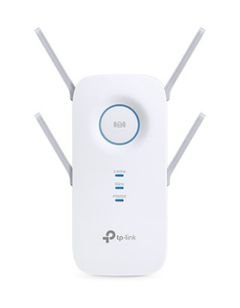
Experience seamless Wi-Fi coverage in every corner of your home or office with the TP-Link RE505X AX1500 Wi-Fi Range Extender, powered by the latest Wi-Fi 6 technology. This advanced device from TP-Link, a globally trusted brand, is expertly crafted in China to deliver the ultimate solution for weak signal zones and network congestion, ensuring high-performance, uninterrupted wireless connectivity.
The RE505X extender leverages next-generation Wi-Fi 6 (802.11ax), offering impressive speeds up to AX1500 across dual bands (2.4GHz and 5GHz). Enjoy smooth web browsing, UHD video streaming, and online gaming without lag or buffering. Thanks to support for TP-Link OneMesh™, you can create a unified Mesh network that blankets your entire home or workspace, enabling you to move freely between rooms without signal drops or reconnections.
Equipped with a Gigabit Ethernet port, the RE505X allows fast wired connections for devices such as smart TVs, desktop computers, and gaming consoles. The smart signal indicator guides you to the optimal placement for maximum coverage and performance. The AP Mode feature lets you convert a wired network into a wireless access point, making this extender an ideal solution for expanding coverage in larger homes or small businesses.
Technical
Specifications
- Brand: TP-Link
- Model: RE505X AX1500
- Origin: China
- Maximum Speed: Up to AX1500 (2.4GHz + 5GHz)
- Wi-Fi Standard: Wi-Fi 6 (802.11ax)
- OneMesh™ Support for seamless Mesh networking
- Gigabit Ethernet port for high-speed wired connections
- Smart Signal Indicator for optimal placement
- AP Mode for creating new wireless access points
- Easy network management via TP-Link Tether app
- Compatibility: Works with all routers and wireless access points
Features &
Benefits
The RE505X is perfect for a variety of environments, including homes, offices, retail spaces, and cafes. It delivers robust coverage and high-speed connectivity to areas with weak signals. Installation is quick and straightforward—use the smart signal indicator to find the best location for peak performance. Connect wired devices via the Gigabit Ethernet port, or activate AP Mode to set up a new wireless access point as needed.
Care Instructions
To ensure optimal operation, install the extender midway between your router and the area with poor signal. Avoid placing the device near large electronics or metal obstacles. Clean the unit regularly with a dry cloth and keep it away from moisture and high temperatures. Manage your network easily through the TP-Link Tether app to stay updated and maintain network security.
Choose the TP-Link RE505X AX1500 Wi-Fi Range Extender for fast, reliable, and comprehensive wireless coverage throughout your home or office. Enhance your digital experience with seamless connectivity and effortless management.